※Notes記事では、英語のセッション動画やポッドキャストの内容を(雑に)英語でメモに書き残すことを行っています。本記事は、あくまで動画を見ながら、参考程度に読んでいただくことを想定しています。Notes記事には雑メモ程度のものだったり、書き起こしのようなものもあります。これから実際の動画を見る際には、本記事の内容が少しでもお役に立てば幸いです。(内容において不備、誤字脱字等ありましたら気軽にご連絡いただけると嬉しいです!m(__)m)
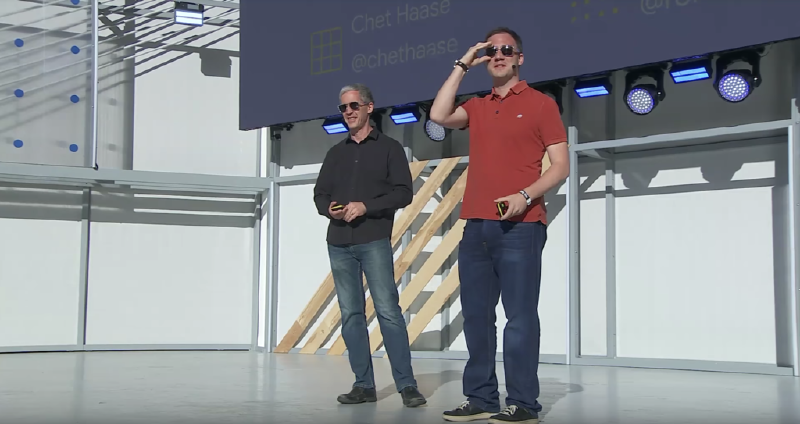
本記事は、Modern Android development: Android Jetpack, Kotlin, and more (Google I/O 2018)のNotes記事です。
Android History#
2008 - Android 1.0
2013 - Android Studio
2014 - ART, RecyclerView
2017 - ConstraintLayout, Kotlin, AAC, Studio Profilers
2018 - ktx, Paging
Tools#
Layout Inspector
Trace View -> Systrace
New Profiler Tab in Android Studio
Memory Tracking
Layout Design
- ConstraintLayout
Runtime in Language#
Dalvik#
Optimized for Space
JIT optimizations not as powerful
Slow Allocation/collection
Heap fragmentation
So#
Avoid allocations(e.g. Don’t use Enums!)
Primitive types are cool
ART#
Optimized for performance
JIT + AOT
Faster allocation/collection
Heap defragmentation
Large object heap
So#
Allocate as necessary(Yes, even enums)
Use appropriate types
But#
Phones are still constrained
Buttery is important
Java#
Started with Java 1.5
Extremely popular
Available great tools
Slow adoption of newer versions
Kotlin#
Official support in 2017
Close collaboration with Jetbrains
Many great features that make code more enjoyable to write & read
Android project can contain both Kotlin & Java
Lint checks in Android Studio
Java -> Kotlin conversion
Android Kotlin Extension
Kotlin Style Guide
Kotlin Interop Guide
Benefits of Kotlin#
Extensions
Inline functions
Operators
De-structuring assignments
Data classes
Lambdas
Now, new Java APIs in the platform starting with Android P will follow the code convention of Kotlin that when there is a SAM interface as parameter, it goes at the end of the list of parameters.
APIs#
AbsoluteLayout => Deprecated
LinearLayout => Okay for simple cases
FrameLayout => Okay
GridLayout => Don’t use
RelativeLayout => Don’t use
ConstraintLayout => Use it. 2.0 Soon!
AdapterViews
Fragments#
Complicated
Core platform bugs+fixes => Core Platform API @deprecated
Use Support Library Fragments
Improvements ongoing, plans for more
New Navigation component simplifies fragment transactions
Activities#
Android apps consist of many activities
Navigating launches an activity
Use single activities when possible
- One per entry point
Richer, more continuous use experience
Fragments are not necessary, but can help
- Navigation component, too
Architecture#
No recommendation for architecture before
- Handling Android Lifecycle
Lifecycle#
AAC: Lifecyle
Fragment implements LifecycleOwner
AppCompatActivity implements LifecycleOwner
Activity and Lifecycle-Dependent-Thing now gets seprated
Views and Data#
Activity had too much stuff
Views
Data for Views
Lifecycle tracking
Data change tracking
Live Data and ViewModel#
Activity now only contains Views and reference for ViewModel
Activity observes LiveData
Data#
- Do it your own! => Room
Room#
Local data persistence via SQLite
Compile-time validation
LiveData integration
Idea from Repository Pattern#
Activity/Fragment
↓
ViewModel(contains LiveData)
↓
Repository
-> Model(Room) -> SQLite
-> Remote Data(Retrofit) -> WebService```

### Data Paging

- Paging Library 1.0

  - Works with RecyclerView

  - Fine-grained item changes, bindings

  - Uses background threads

  - Flexible data fetching options

  - Integration with Room

  - Boring name

## Graphics

- OpenGL ES 1.0 => OpenGL ES 3.1/3.2, Vulkan

- Software rendering => Hardware accelerated rendering

- Nine patches => Vector Drawables

- TextureView vs SurfaceView => Use SurfaceView, not TextureView

- Managing bitmaps by hand => Recommended Libraries: Glide, Picasso, Lottie

## Final Thoughts

- Profile your code => Profile your code

- Avoid work when possible

- Minimize memory consumption

- Devices are still resource-constrained

- Battery life is critical

- Bandwidth is precious

- User experience matters

## 所感、個人的に特に印象に残ったことなど

- 可能であれば1 Activityに極力しよう、というのを公式として今回方針を明言しているのは大きいなと感じました

- Java APIの作りもKotlinを意識した形にする、というのは最高そうですね!

- Navigation Component、AAC LifecycleによってFragmentも扱いやすくなった、というようなわりとFragmentが肯定される内容だったのかなと

- サードーパーティー製のライブラリも良いものは使っていこう(Retrofit, Glide, Picassoなどが本動画には登場しています)という姿勢も、全て結果的には良いUXを提供しようというところにつながっていて、説得力というか納得感もあり実際それによって開発者も悩み少なく良いアプリを作れる、というWin-Winな形があるなぁと感じました

以上です!